CAD & DFM
QCad
- Dimension extraction
- Wall thickness analysis
- Feature recognition
- DFM analysis
One connected cost intelligence platform.
Hover or tap any module on the ring to see what it does.
QCAD
Engineering engine
QPlast
Engineering engine
QSheet
Engineering engine
QForge
Engineering engine
QCast
Engineering engine
QCam
Engineering engine
QJoin
Engineering engine
QPCB
Engineering engine
QDTC
Sourcing
Quinn
Sourcing
Live Negotiation
Roadmap
Supplier RFQ
Sourcing
Delivered Cost
Costing
Sustainability
Intelligence master
Cost Summary
Costing
RM Master
Intelligence master
Machine Master
Intelligence master
Supplier Master
Intelligence master
Process Engine
Costing
Packaging
Costing
Logistics
Costing
Duties & Tariffs
Costing

One connected
cost intelligence
platform
A scientific, first-principles method of estimating product cost, in which the optimal manufacturing route is selected to achieve minimum material wastage, minimum processing time and the optimum machine for the job, while fully meeting engineering specifications.
Illustrative cost split
A clear cost benchmark for supplier discussions.
The same cost model serves negotiation, design review and sourcing strategy.
Enter discussions with a defensible number instead of a percentage demand.
Quantifies exactly where, and how much.
Reveals tolerances, features and material choices we are paying for but may not need; feeds directly into VA/VE.
Compares suppliers, processes and locations on a like-for-like basis.
The cost breakdown shows where the supplier is inefficient, enabling joint improvement.
Models and rate databases become a reusable asset, reducing dependence on individual experience.
Company credentials and independent assurance are being pursued.
Built for a better Supply Chain Ecosystem.
Industry 4.0 Anna UniversityAffiliating university
 MIT, ChromepetAlumnus
 MITEAEntrepreneurs Association · MemberMIT IoT CoECentre of Excellence · Member
 Social EagleSoftware support
 Dudentic TechnologiesSoftware support
 VIMS EnterpriseSoftware support
Product inputs
CostmatiQ outputs
QCad
QCam
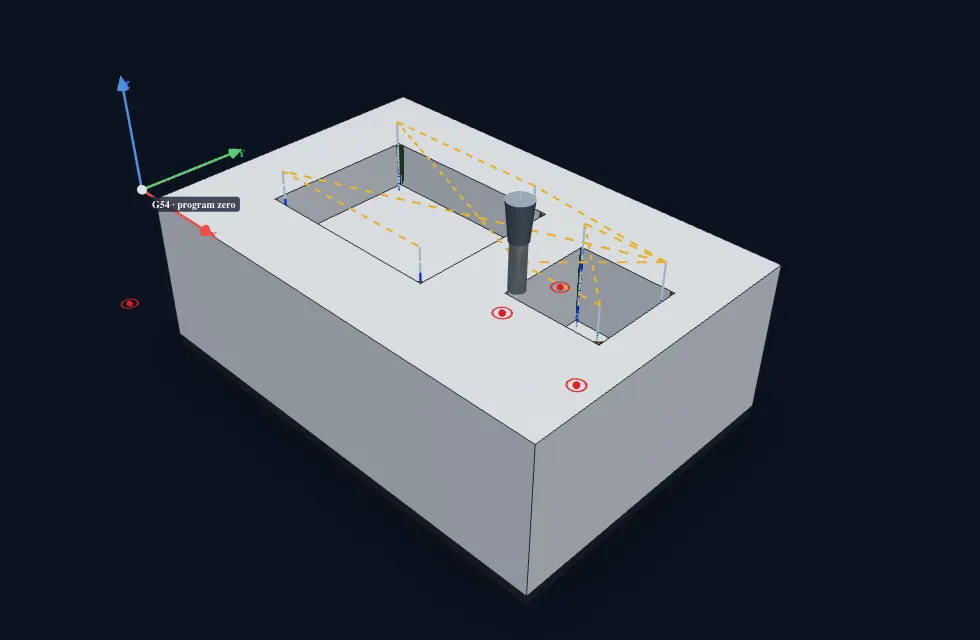
QPlast
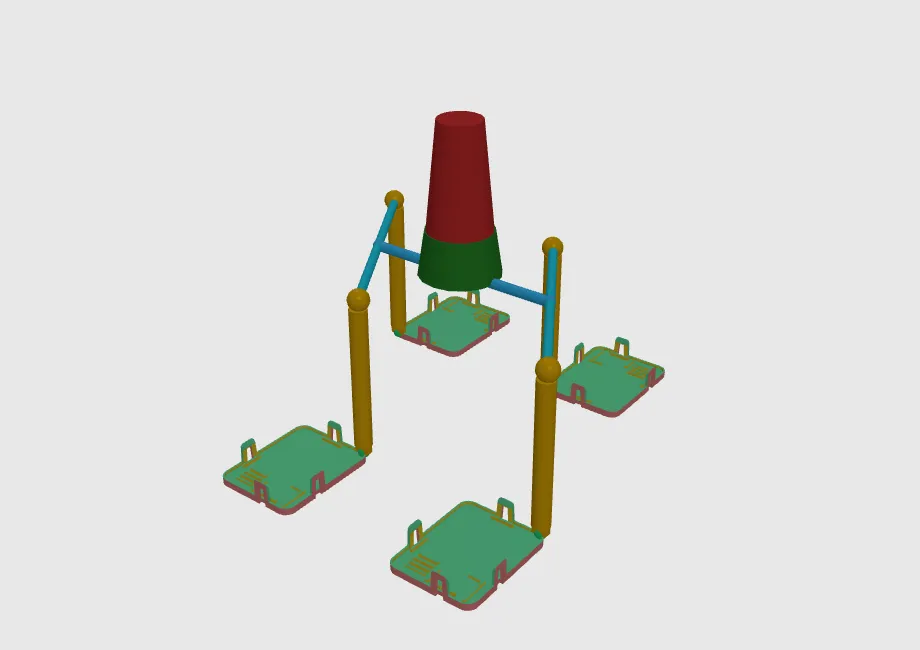
QCast
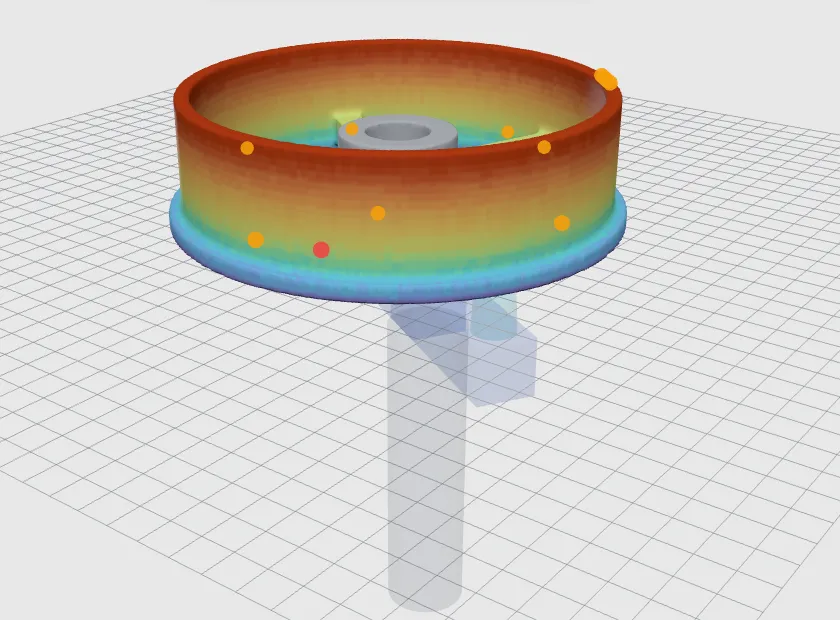
QSheet
QForge
QPCB
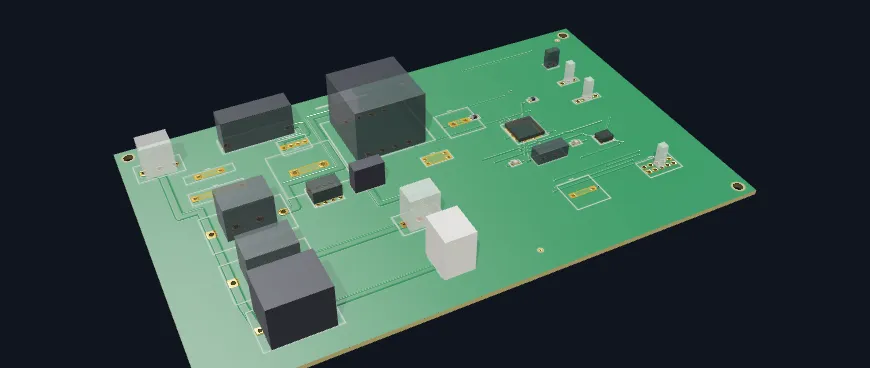
QJoin
Material
Design
Machines
Sourcing
Suppliers
Negotiation
Labour
Imports
| Module | Capability | CostmatiQ100% | aPriori36% | Teamcenter PCM26% | EPC Suite17% | Tset21% | DFMA28% | True ValueHub41% | Costimator22% | SEER-MFG17% | LeanCOST24% |
|---|---|---|---|---|---|---|---|---|---|---|---|
| QCad | 2D drawing / PDF input | ||||||||||
| 3D CAD model input | |||||||||||
| Dimension & Feature extraction | |||||||||||
| DFM / manufacturability checks | |||||||||||
| Plug-in that runs inside the CAD | |||||||||||
| Feature recognition, DFM analysis | |||||||||||
| QMold | Mold design & 3D visualization | ||||||||||
| QPlast | Undercut detection · Gate, Sprue, Runner design · Cavity Layout Visualization · Fill & Cool Analysis | ||||||||||
| QSheet | Unfolding & Nesting - Stage, Progressive & Laser-cut | ||||||||||
| Progressive Strip Layout · 3D Stage Visualization · Process Planning · Draw bead & addendum generation | |||||||||||
| QPCB | PCB 3D visualization | ||||||||||
| Panelization · Layers & Drill analysis · PCBA DFM analysis | |||||||||||
| Component BOM costing | |||||||||||
| QCam | Machining toolpath simulation · Operation visualisation · Stock generation · Cutting tool selection | ||||||||||
| QCast | Undercut detection · Gate, Runner, Riser design · Cavity Layout Visualization · Pattern, core extraction · Fill & Cool Analysis | ||||||||||
| QForge | Forgeability assessment · Preform & die sequence · Flash & machining allowances · Forging load & press tonnage | ||||||||||
| QJoin | Virtual assembly simulation · Assy Sequence · Assy cell design · Station & line balancing · MOST Analysis | ||||||||||
| Material | Global RM price database | ||||||||||
| Grades, properties and TDS | |||||||||||
| CO2e alternatives | |||||||||||
| RM indexing | |||||||||||
| Machines | Global machine library · Machine-hour rates breakup · Regional cost indices | ||||||||||
| Labour | Global Labour rates | ||||||||||
| Voice & chat | Read and update the BOM · Run costing · Explain any number | ||||||||||
| Live negotiation assistance | |||||||||||
| Design | DtC CAD proposals | ||||||||||
| Sourcing | Platform to get supplier quote | ||||||||||
| Negotiation | Gap analysis: supplier quote against should-cost | ||||||||||
| Imports | Duty and tariff inputs by HS code · Preferential tariff scenarios |
Scores count Yes as 1 and Partial as ½ across all capabilities, as on the deck; CostmatiQ's live negotiation assistance is counted and is on the roadmap.
01Presentation to Top Management
Owner CostmatiQ
02Presentation to Sourcing Team
Owner CostmatiQ
03Presentation to Engineering Team
Owner CostmatiQ
04Input collection for three parts
Owner Your Design & Purchasing
05POC on three parts
Owner CostmatiQ
06Output pack
Owner CostmatiQ
07Cross-functional review
Owner You + CostmatiQ
08Supplier negotiation
Owner Your Purchasing
Track 01
New parts under development, costed before the supplier is locked in.
Target price for sourcing the new part
Track 02
Parts already in production, stratified so each kitty is costed and negotiated.
Split spend by product line.
Group parts into kitties.
Should-cost in the CostmatiQ app.
Each kitty, with the cost evidence.
Proprietary parts (dashed) and raw materials get their own approach — next tabs.
Route A
Obtain the 3D models and 2D drawings from the proprietary supplier.
Route B
Tear down the part, reverse engineer it and build our own 3D model.
In CostmatiQ
Cost the part from the model, whichever route supplied it.
Then
Should-cost plus benchmark give the negotiation levers — even for a sole-source supplier.
A sole-source part still gets a should-cost and a market price to negotiate against.
RM cost of each part calculated from its material content and the current commodity rate.
Commodity prices and indexes are tracked continuously, so every movement is visible.
Compare the RM prices you pay with what competitors pay for the same materials.
RM prices negotiated on data: the algorithm, the index and the market.
Mould and die cost built up from tool steel, standard parts, machining hours and tryout.
Welding, assembly and checking fixtures costed from their design and build hours.
Special purpose machines and lines costed station by station, up to commissioning.
Capex negotiated on engineering cost: tools, fixtures and lines.
Plastic, Sheet metal, PCBA: 2D drawing, 3D model (.stp) and the supplier quote or settled cost breakup. Output pack: cost report, gap analysis, negotiation levers.